


Tiles Dance Gugu Gaga Penguin
0.00.00 Reviews
App Specs
- Version
- 1
- Updated On
- License
- Free
- Downloads
- 50,000+
- Developer
- Satosu Games
- Categories
- Music
- Platform
- Android
Screenshots
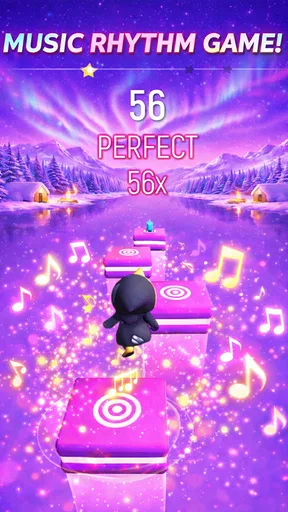
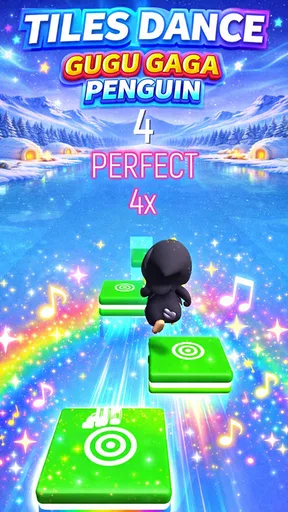
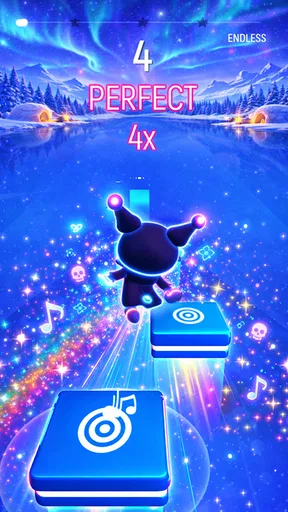
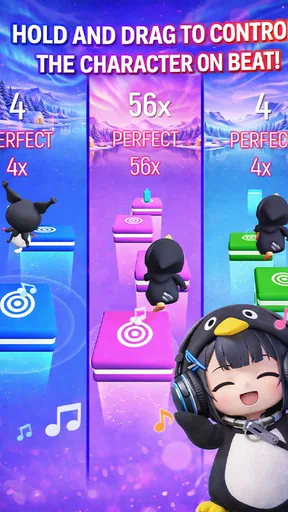
 Analysis by AppCompare
I approached this game with one simple question: does tapping tiles to music feel enjoyable enough to return to, or does the novelty wear off after a few minutes? Its central appeal is easy to understand: music gives each tap a rhythm to follow, while the penguin theme makes the activity feel light rather than demanding. That combination suits short breaks, especially when I want something more active than simply listening to a song but less involved than learning a full music game.
It is a free music game from Satosu Games, and its focus is right there in the title: dancing tiles and Gugu Gaga Penguin. I would think of it as a casual rhythm game first, not a music-learning tool or a deep simulation. That distinction matters. If your goal is to practise an instrument or explore a large music library, you will want a different kind of app; if you want a playful reason to pay attention to a beat, the basic idea is a better fit.
Why the tile-and-beat idea works
In a tile rhythm game, the screen gives your attention somewhere concrete to go: watch for the next tile, listen for the pulse, then tap. The useful part is how those cues work together. I find that listening alone can make a tune fade into the background, while a visual prompt encourages me to stay engaged. The penguin theme adds personality to that simple loop, so the experience feels less like drilling a timing exercise.
That design also creates a small trade-off. Looking at the screen helps with timing, but it can pull focus away from the music itself. I would play with the sound on and keep the volume comfortable, rather than treating the game as a silent tapping challenge. If you are mainly interested in the songs, you may find that following tiles makes listening less relaxing. If you enjoy reacting to a beat, the added task is exactly the point.
How I would fit it into a day
This kind of game makes most sense in short, interruption-friendly stretches. I can picture opening it while waiting for a friend, taking a quick break between chores, or passing a few minutes during a commute while seated. The music-and-tapping format gives that spare moment a clear focus, and the cheerful penguin angle keeps it approachable. I would not choose it when I need to concentrate on reading, work, or a conversation, because the game asks for both eyes and fingers.
A practical tip is to begin when you can give the screen your attention for a little while, rather than trying to play while walking or doing something else. Rhythm depends on noticing what is coming next, and divided attention can make even an easy sequence feel frustrating. For a quick session, I would also decide beforehand whether I want to chase a better run or simply enjoy the music; having one small goal makes it easier to stop instead of letting a casual break stretch on by accident.
Where it sits among music games
Compared with a music player, a tile game is less passive: you respond to what you hear instead of leaving a playlist running. Compared with instrument-practice apps, it is more about a playful reflex than building a structured skill. And compared with rhythm games built around complex charts or demanding controls, the tile format is easy to grasp at a glance. That simplicity is a strength for newcomers, though players who want detailed song selection, deeper progression, or a serious timing challenge may prefer a more specialised alternative.
Worth Reading Before You Choose

Flipboard Shows What News Apps Must Do Beyond the Feed

Switching to Android Auto Means Rethinking Your Driving Routine

Google Calendar Makes a Crowded Week Easier to Manage

Ludo King Makes the Most of the Minutes Between Plans

Baby Panda World Brings Quick Play to Modern Phones, but Its Game Library Feels Busy

ESPN’s Live Game View Makes Following Close Games Easier
I would also keep expectations measured when choosing it. A music game’s appeal can depend heavily on whether its sound and visual style suit you, and the penguin-led presentation is clearly part of this one’s identity. If cute characters are not your thing, the theme may feel more distracting than charming. If they are, the character gives the tapping a friendly frame rather than making the game feel like an abstract row of prompts.
Getting Started with Tiles Dance Gugu Gaga Penguin
First things first, let’s talk about the setup. Jumping into Tiles Dance Gugu Gaga Penguin is straightforward. You download it, and bam, you’re greeted with vibrant graphics and an upbeat soundtrack. It's like the game is saying, "Hey, let's have some fun!" The app doesn’t require a hefty download time, which is a win for those of us with limited patience.
The interface is intuitive, with a clean layout that doesn’t overwhelm you with too many options. You're here to dance with penguins, not fight through menus. A quick tutorial guides you through the basics, and before you know it, you’re tapping tiles to the beat with a cute penguin buddy. Honestly, who doesn’t love penguins?
The Gameplay Experience
So, what's the game all about? Imagine a classic tile-tapping game, but with a twist that includes adorable dancing penguins. The game is all about rhythm and timing. As the music plays, you tap tiles in sync with the beat, helping your penguin dance along the way. It’s simple, yet incredibly addictive.
Each level brings new challenges and music tracks, keeping things fresh. The songs range from catchy pop tunes to funky remixes. You might even find yourself humming along as you play. The difficulty ramps up gradually, so whether you’re a newbie or a pro, there’s something to keep you entertained.
What really stands out is the game’s ability to combine fun graphics with engaging soundtracks. The animations are smooth, and the penguin's dance moves are quirky and charming. It’s a visual treat that complements the audio experience perfectly.
Features That Stand Out
Now, you might be wondering, "What else does this app offer?" Well, let me spill the beans. The game comes packed with a variety of features that enhance the gameplay experience.
- Multiple Levels: With a ton of levels to unlock, you’ve got hours of gameplay ahead. Each level introduces new tracks and challenges.
- Customizable Penguins: You can dress up your penguin in different outfits. It’s a fun way to personalize your experience.
- Daily Challenges: These keep you coming back for more with rewards that help you progress faster.
One of my favorite bits? The leaderboard. Compete with friends or players worldwide to see who’s got the best rhythm. It adds a competitive edge that can be pretty motivating.
Audience and expectations
The game is rated Everyone, which matches its playful presentation and makes it an easy option to consider for a broad range of players. Its reported audience has passed 50,000 installs, though popularity alone does not tell me whether the rhythm or the penguin style will suit you personally. It is free, so trying the basic idea does not require an upfront purchase; I would still choose it for its particular style, not simply because it costs nothing.
Its current version is 1, and it was released on April 13, 2026. The minimum operating-system requirement is 7.1. Those details are useful when deciding whether it can run on a device, but they do not change the more important question: whether you like responding to tiles while music plays. I would check that your device meets the requirement before installing, then judge the game by a short session rather than assuming the cute presentation guarantees lasting appeal.
Small choices that make a session smoother
For a better first impression, I would play somewhere the beat is easy to hear and the screen is not competing with bright reflections. That is a practical point, not a special setting: when you are matching taps to music, a distracting environment can make timing feel worse than it is. If a run feels awkward, I would first slow down mentally and focus on the rhythm instead of tapping harder or faster. The task is coordination, not force.
I would also treat the penguin presentation as part of the experience rather than expect it to transform the mechanics. The character can make a familiar tile format warmer, but the core appeal still depends on whether you enjoy reacting to musical cues. That helps set expectations for younger players, too: it is a game to play together or independently for fun, not a substitute for music lessons or a reliable way to measure musical ability.
When another option is better
If you want background entertainment while your phone is in your pocket, a music player is the more sensible choice because this game needs visual attention. If you are after deliberate practice, an instrument app or a rhythm trainer with structured exercises will be more useful. And if you usually stick with games because of elaborate character development, strategic choices, or a long narrative, a straightforward tile-and-beat loop may not give you enough variety. I see its strongest use as a compact bit of interactive music fun, not as an all-purpose game.
That distinction can help avoid a common mismatch: downloading a rhythm game expecting it to function like a playlist, or expecting a cute theme to provide endless novelty by itself. I would recommend it to someone who likes tapping along and wants a friendly visual hook. I would suggest skipping it if music games usually feel repetitive to you, if you dislike cute character styling, or if you need an experience that works without looking at the screen.
What to expect from its standing
The average rating is 0.0, so there is no useful rating signal here for me to lean on when making a recommendation. I would not read that as proof that the game is poor or excellent; it simply means I would base the decision on its fit with your tastes and on trying it yourself. The safest expectation is a casual, music-led tile game, rather than a proven favourite with a long record of player feedback.
For families, the Everyone age classification is reassuring as a broad content guide, but I would still make the first session a shared one if a child is new to rhythm games. That gives you a chance to see whether the pace and tapping feel comfortable, and whether the music is something they enjoy. For adults, the same first-session approach is useful for a different reason: it reveals quickly whether the penguin theme is charming enough to carry the simple interaction.
How I judge its staying power
The best test is not whether the first few taps look cheerful; it is whether you want another attempt after you have understood the basic rhythm. I would use that as a personal stopping point. If the music makes you want to keep timing your taps, the straightforward format may be exactly what you need for short breaks. If you feel you have seen the whole appeal after one brief try, there is no need to force it into your routine just because it is free.
Likewise, I would not turn every session into a score chase. A light rhythm game can work as a small reset between tasks, but competition can make that break feel like another obligation. If you enjoy comparing runs, a leaderboard can add motivation; if you prefer to unwind, focus on the beat and leave the comparison aside. The better choice depends on whether pressure makes play more fun for you or less.
Final Thoughts
So, should you download Tiles Dance Gugu Gaga Penguin? In my opinion, absolutely. It’s a delightful mix of music, rhythm, and penguin cuteness that’s hard to resist. Whether you’re looking for a quick game to pass the time or something to get lost in for hours, this app delivers.
The game's charm lies in its simplicity and engaging gameplay. It’s easy to pick up but challenging enough to keep you coming back. Plus, the penguins are just too adorable to ignore. So, give it a try and let your fingers dance to the beat.
Ready to tap into fun? Head over to your app store and start playing. Trust me, you won’t regret it!
Pros
- Engaging rhythm-based gameplay
- Cute and colorful graphics
- Wide variety of song choices
- Simple controls for all ages
- Regular updates with new content
Cons
- Ads can be intrusive at times
- In-app purchases can be costly
- Requires internet for some features
- Limited offline play options
- Occasional lag on older devices
FAQs for Tiles Dance Gugu Gaga Penguin
What is Tiles Dance Gugu Gaga Penguin?
Tiles Dance Gugu Gaga Penguin is a rhythm-based music game available on both Android and iOS platforms. Players guide a cute penguin character across tiles that light up in sync with the music. It's a fun and engaging way to enjoy your favorite tunes while testing your reflexes and timing skills.
Is Tiles Dance Gugu Gaga Penguin free to play?
Yes, Tiles Dance Gugu Gaga Penguin is free to download and play. However, it may offer in-app purchases for additional features, songs, or cosmetic items. These purchases are optional, and you can enjoy the core gameplay without spending money, making it accessible for everyone.
What are the main features of Tiles Dance Gugu Gaga Penguin?
The game boasts an extensive music library, adorable graphics, and intuitive one-touch controls. Players can enjoy various levels with increasing difficulty, customizable penguin avatars, and special events. Regular updates ensure fresh content, keeping the experience exciting and challenging.
Does Tiles Dance Gugu Gaga Penguin require an internet connection?
While Tiles Dance Gugu Gaga Penguin can be played offline, an internet connection is needed to access certain features. This includes downloading new songs, participating in global leaderboards, and receiving updates. Offline play is perfect for enjoying the game on the go without using data.
Are there any age restrictions for playing Tiles Dance Gugu Gaga Penguin?
Tiles Dance Gugu Gaga Penguin is suitable for players of all ages, featuring family-friendly content and easy-to-learn controls. However, due to in-app purchases, parents might want to monitor younger children's play to prevent unauthorized spending. Overall, it's a fun and safe game for everyone.


